In VT Transaction+, the quarterly update period is set by changing the current period caption at the bottom of the screen:
1.If your accounting period does not start on 6 April, make sure you have changed the reporting period option from standard to calendar before the next step.
2.Select MTD > Self-employment quarterly update > Set current period to dates of update
3.Select the obligation due in red and click OK, and OK again to the message that follows:

This changes the current period caption to the quarter due:

Note:
1.The example above is for calender quarters. If it was standard quarters, the current period would show '6/4/26 to 5/7/26'.
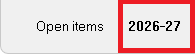
2.If you are re-submitting a quarterly update, select the current tax year to view the obligation previously submitted:
3.If you need to change the current period back to what it was before, you can do so (after submitting the quarterly update) by clicking on the current period caption and selecting the required period.
