In VT Transaction+, the default income and expenses accounts are automatically assigned to the tax categories for the quarterly update.
If you have created new accounts, you will be asked to assign them when generating the quarterly update:
1.Select MTD > Self-employment quarterly update > Assign (or exclude) accounts to tax categories.
2.Under Accounts to be listed: select All accounts.
3.For each Account name on the left where the Tax category is blank, select an appropriate tax category from the list under Tax category to which select account is assigned (or click Auto-Assign, which will automatically find and assign the related tax category if the names are similar) and click OK.
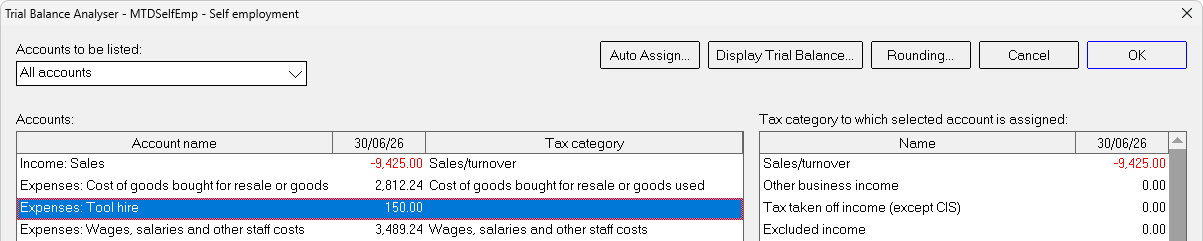
4.If you have renamed any of the default accounts, check that the tax categories they are assigned to are still appropriate, and re-assign if necessary.
Note:
1.Balance sheet accounts do not get included in the quarterly updates and therefore can be ignored (they are automatically assigned to an inactive tax category; 'Net assets', 'Net liabilities', or 'Capital').
2.If you also have property income and expenses accounts on the same VT Transaction+ file, exclude them by assigning them to Excluded income or Excluded expense.
